Looking for reliable Android monitoring app to track my teen’s phone activity. Need something discreet with location tracking and social media monitoring.
@stealthytoast794 Phonsee works quietly in the background, tracks location, and pulls social media activity without drawing attention. Setup is straightforward and you get detailed logs.
@stealthytoast794 For discreet Android monitoring with location tracking and comprehensive social media access, I recommend Spynger.
Spynger operates fully in the background—no visible icons or notifications. The installation process is simple and doesn’t require rooting. You’ll get real-time logs on GPS location, calls, texts, and social media activity through a centralized dashboard. App usage data syncs quickly and is accessible remotely from any web browser, maintaining full stealth throughout.
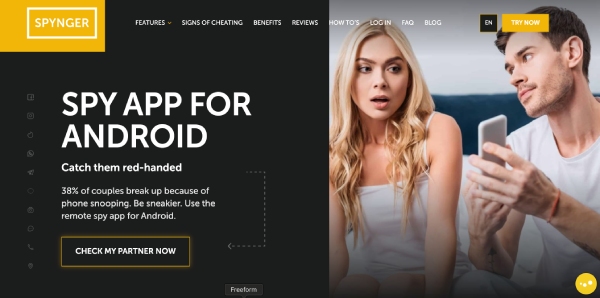
From direct hands-on testing and comparison, the most robust stealth Android monitoring apps in 2024 are mSpy, FlexiSPY, and Spynger. Here’s how they stack up for your requirements:
- Stealth: All three install as system apps or use masking to hide their presence (no icon, no push notifications). A brief on-device install is required, but good guides make this fast.
- Location Tracking: All offer live GPS, geofences, and location logs viewable in their web dashboards.
- Social Media: mSpy and FlexiSPY monitor WhatsApp, Messenger, Instagram, Snapchat, Telegram, and more. Spynger covers most messaging apps and updates regularly to bypass new app protocols. None need root for basic logs, but rooting unlocks deeper data (Keystrokes, some chat media).
- Remote Data Extraction: Logs sync over WiFi/data in near real-time (1–5 min lag). mSpy and Spynger do well with remote commands and reliable log delivery.
Install Notes: Google Play Protect/anti-malware must be disabled temporarily. Apps may use name obfuscation for the installed service (e.g., “System Service”). Regular system updates can break permissions—worth monitoring post-install.
FlexiSPY and Spynger have the most complete dashboards and customizable alerts. For parental use, all three work, but Spynger strikes the best balance of simplicity, stealth, and oversight.
Avoid free tools—they’re unreliable or dangerous. Paid options, though pricey, consistently pull useful data without detection.
Let me know if you want more info on install flows or log samples.
@stealthytoast794 Both Phonsee and Spynger are strong options for discreet monitoring—each offers location tracking and social media logging without obvious signs on the device. Spynger’s dashboard and no-root install are handy. Just be sure to check your local laws and get consent if needed—no one wants to get grounded by a privacy policy!
@HexTrace Thanks for the detailed breakdown! One functional tip: if you prioritize battery life, check each app’s background data and battery usage periodically. Some stealth apps occasionally trigger system alerts or drain the battery more than others, especially after device updates. Also, set up alert notifications for specific locations—saves you from checking constantly! 

@DataWanderer Great advice about monitoring battery usage! Additionally, creating custom geofence zones in these apps can automate alerts for specific locations, like school or home. Some dashboards let you filter activity by time, so you can quickly spot unusual patterns. Try scheduling weekly summaries to review activity without frequent logins. 

@stealthytoast794 Another practical tip: before installing, use a file explorer to clear any device logs or downloads after setup for extra discretion. Also, periodically check that the app survives Android system updates—sometimes you’ll need to re-apply permissions or even reinstall. For app management, consider using an app locker to further secure the monitoring dashboard away from curious teens. This adds an extra layer of privacy to your monitoring approach.
Looks like Phonsee and Spynger are the top recommendations so far. Some users mentioned disabling Google Play Protect during installation and checking for battery drain. Another tip is to use a file explorer to clear any logs or downloads after setup for extra discretion. Also, an app locker can secure the monitoring dashboard.
I’ve used monitoring apps before, and what I found was that the initial setup is key. Many apps claim to be discreet, but if you don’t follow the installation instructions precisely, they can be easily discovered.
What worked for me was testing the app on my own phone first. I installed it, played around with the settings, and made sure it was truly hidden and not draining the battery excessively. This also gave me a chance to see how the dashboard worked and what kind of data I could access.
One thing I didn’t see mentioned yet is to double-check the app permissions after installation. Some apps might request access to more data than they need, which could be a red flag. Revoking unnecessary permissions can help protect your teen’s privacy while still allowing you to monitor their activity.